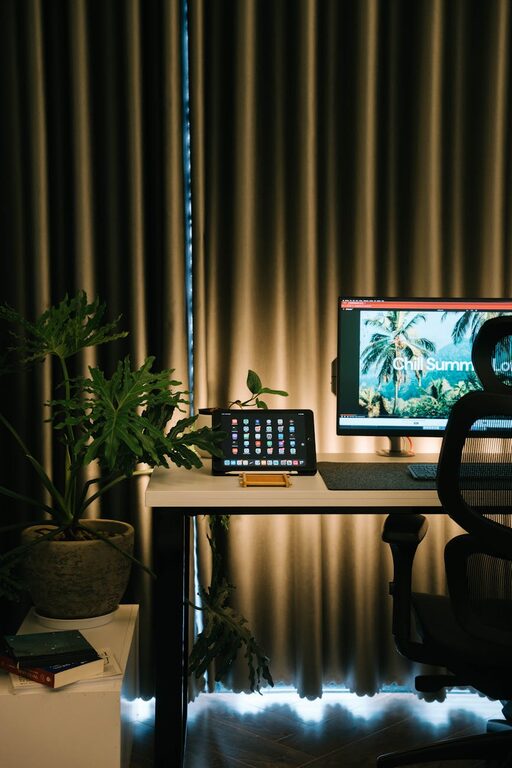






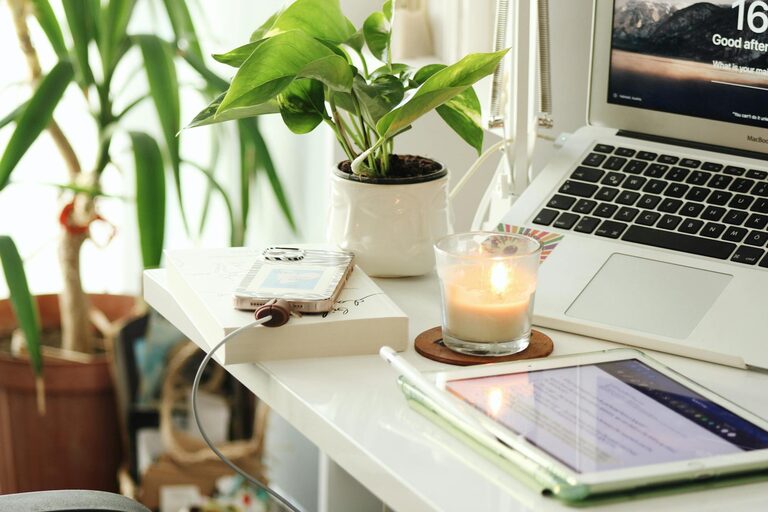
Creating a home workspace that is both cozy and productive is essential for anyone who spends a significant amount of time working from home. A well-designed workspace can improve focus, increase efficiency, and help maintain a healthy work-life balance. Whether you have a dedicated room or a small corner, these tips will help you set up a space that feels inviting and supports your workflow.
Choose the Right Location
The first step is selecting the ideal spot in your home. Consider the following:
– Natural light: Position your desk near a window if possible. Natural light can boost mood and energy.
– Minimal distractions: Pick a quiet area away from high-traffic zones like the kitchen or living room.
– Space to move: Ensure there’s enough room for your chair, desk, and any supplies or equipment you use regularly.
If space is limited, don’t worry. Even a small nook can be transformed into an efficient workspace with careful planning.
Invest in Comfortable and Functional Furniture
Your workspace furniture should support both comfort and productivity.
– Ergonomic chair: Choose a chair with good lumbar support to protect your back during long hours.
– Desk size: Pick a desk big enough to hold your computer, notebook, and other essentials without overcrowding.
– Adjustable options: Consider height-adjustable desks or monitor stands to help reduce strain.
Comfortable furniture will not only prevent physical discomfort but also encourage you to stay focused longer.
Optimize Lighting
Proper lighting can reduce eye strain and improve concentration.
– Layer your lighting: Use a combination of natural light, overhead lighting, and task lighting like desk lamps.
– Avoid glare: Position screens so they don’t reflect bright light.
– Choose warm bulbs: Soft, warm-tone bulbs create a cozy atmosphere that is easier on the eyes.
Having flexible lighting options allows you to adjust based on the time of day and the type of work you’re doing.
Organize with Purpose
An organized workspace can help clear your mind and speed up your workflow.
– Declutter regularly: Keep only the items you need on your desk.
– Storage solutions: Use drawers, shelves, or boxes to keep papers and supplies tidy.
– Cable management: Use clips or cable sleeves to keep wires neat and prevent tangling.
Labeling storage containers or files can also save time and reduce frustration when searching for materials.
Personalize Your Workspace
Adding personal touches can make your workspace feel inviting and uniquely yours.
– Plants: Indoor plants improve air quality and add a touch of nature.
– Artwork or photos: Display items that inspire or relax you.
– Color accents: Use colors that make you feel calm or energized, depending on your preferences.
Personalizing your area helps create a positive environment that makes working from home more enjoyable.
Minimize Noise and Distractions
Controlling noise and distractions is crucial for maintaining productivity.
– Noise-canceling headphones: These can help block out background noise.
– White noise machine or music: Some people find soft background sounds help with focus.
– Set boundaries: Communicate with household members about respecting your work time.
Creating a peaceful environment helps keep your mind on tasks and reduces stress.
Maintain a Healthy Routine
Your workspace should support not just work but your well-being.
– Take breaks: Stand, stretch, or take short walks to avoid fatigue.
– Hydrate and snack: Keep water and healthy snacks nearby.
– Maintain good posture: Use reminders or apps to encourage posture checks.
A routine that incorporates movement and self-care will enhance both comfort and productivity.
Use Technology Wisely
Technology can enhance your workspace but should be managed to avoid distraction.
– Organize digital files: Create clear folder systems to keep your computer clutter-free.
– Use productivity tools: Apps for task management, timers, or note-taking can keep you on track.
– Limit notifications: Turn off non-essential alerts during work hours.
Setting boundaries with technology helps you stay focused and efficient.
Keep It Flexible
Your needs might change over time, so design your workspace to be adaptable.
– Modular furniture: Choose pieces that can be rearranged or repurposed.
– Multi-use spaces: If space is shared, use screens or dividers to create separation.
– Seasonal changes: Adjust lighting or décor as seasons change to maintain comfort.
Flexibility ensures your workspace remains effective and comfortable as your work habits evolve.
—
Creating a cozy and productive home workspace is all about balancing comfort with functionality. By thoughtfully choosing your location, investing in the right furniture, optimizing lighting, staying organized, and personalizing your space, you can create an environment that not only supports your work but also makes working from home a pleasure. Remember, the best workspace is one tailored to your personal needs and lifestyle.